---
breadcrumbs:
- - /updates
- updates
- - /updates/schemeful-same-site
- Schemeful Same-Site
page_name: testing-and-debugging-tips-for-schemeful-same-site
title: Testing and Debugging Tips for Schemeful Same-Site
---
*(Last updated: Nov 09, 2020)*
**What**: An overview of steps you can take to test your site against Chrome’s
new Schemeful Same-Site behavior, and tips for debugging cookie issues that may
be related.
**Who**: You should read this if your site has any sort of [mixed
content](https://developers.google.com/web/fundamentals/security/prevent-mixed-content/what-is-mixed-content)
(Secure to Insecure or vice-versa) or links between secure and insecure pages.
Some of these tips will probably be of limited use unless you feel comfortable
using [Chrome
DevTools](https://developers.google.com/web/tools/chrome-devtools), and
understand what an [HTTP
request](https://developer.mozilla.org/en-US/docs/Web/HTTP/Overview) is and [how
cookies are used](https://developer.mozilla.org/en-US/docs/Web/HTTP/Cookies) in
HTTP requests and responses.
**How**: Please use **Chrome 86** or newer (Beta included). You can check your
version number by going to chrome://version.
[TOC]
## Testing tips
### Enable Schemeful Same-Site & Cookie Deprecation Messages
Make sure you're testing Schemeful Same-Site by enabling the feature directly.
Note that if you do not explicitly enable or disable (i.e.: leave it in the
"Default" state) then Chrome may or may not use the feature depending on if your
browser is part of an experimental group. Similarly for cookie deprecation
messages.
1. Go to chrome://flags and set both #schemeful-same-site and
#cookie-deprecation-messages to "Enabled".
2. Restart Chrome.
 ## Testing your Site
Test your site by visiting and interacting with any pages that have [mixed
content](https://developers.google.com/web/fundamentals/security/prevent-mixed-content/what-is-mixed-content)
and link between secure and insecure pages.
If you're site doesn't use
[HSTS](https://developer.mozilla.org/en-US/docs/Web/HTTP/Headers/Strict-Transport-Security)
then try seeing if you can navigate to insecure version of your pages, these can
be a surprising source of mixed content.
You will know if any cookies are affected by using the [DevTools Issues
Tab](https://developers.google.com/web/tools/chrome-devtools/issues) and looking
for issues with any of these titles
* “Migrate entirely to HTTPS to continue having cookies sent on
same-site requests”
* “Migrate entirely to HTTPS to have cookies sent on same-site
requests”
* “Migrate entirely to HTTPS to continue having cookies sent to
same-site subresources”
* “Migrate entirely to HTTPS to continue allowing cookies to be set by
same-site subresources”
* “Migrate entirely to HTTPS to have cookies sent to same-site
subresources”
* “Migrate entirely to HTTPS to allow cookies to be set by same-site
subresources”
## Testing your Site
Test your site by visiting and interacting with any pages that have [mixed
content](https://developers.google.com/web/fundamentals/security/prevent-mixed-content/what-is-mixed-content)
and link between secure and insecure pages.
If you're site doesn't use
[HSTS](https://developer.mozilla.org/en-US/docs/Web/HTTP/Headers/Strict-Transport-Security)
then try seeing if you can navigate to insecure version of your pages, these can
be a surprising source of mixed content.
You will know if any cookies are affected by using the [DevTools Issues
Tab](https://developers.google.com/web/tools/chrome-devtools/issues) and looking
for issues with any of these titles
* “Migrate entirely to HTTPS to continue having cookies sent on
same-site requests”
* “Migrate entirely to HTTPS to have cookies sent on same-site
requests”
* “Migrate entirely to HTTPS to continue having cookies sent to
same-site subresources”
* “Migrate entirely to HTTPS to continue allowing cookies to be set by
same-site subresources”
* “Migrate entirely to HTTPS to have cookies sent to same-site
subresources”
* “Migrate entirely to HTTPS to allow cookies to be set by same-site
subresources”
 Note that the presence of a cookie within an issue doesn't necessarily indicate
that something on your site broke, you need test and determine that yourself.
Some of those blocked cookies may not affect any functionality.
### Why do I see Issues if my cookies don't use SameSite?
[SameSite-by-Default](https://web.dev/samesite-cookies-explained/#changes-to-the-default-behavior-without-samesite)
now launched and active. This means that any cookies without a SameSite
attribute are treated as though they have SameSite=Lax and thus can trigger
warnings for Schemeful Same-Site.
**Known Bug (Fixed in M87)**: In M86 if a cookie without SameSite is blocked due
to Schemeful Same-Site the correct issues ("Migrate entirely to HTTPS...") will
not appear. Instead only "Indicate whether to send/set a cookie in a
cross-site..." will be shown. If you disable chrome://flags#schemeful-same-site
and the issues go away then you can be confident this is caused by Schemeful
Same-Site.
## Debugging Tips, or My Site Broke
**Note:** The term cross-scheme is used here to mean the same registrable domain
but differing schemes. For example, ==http==://example.com and
==https==://example.com are considered cross-scheme to each other.
### Starting Off
Schemeful Same-Site may the cause of your site's breakage if your site/page
makes cross-scheme requests. Issues such as browser/tab crashes or hangs are
unlikely to be caused by Schemeful Same-Site.
Check that the problem persists after setting the Schemeful Same-Site flag to
"Disabled" (Setting it to "Default" may not disable the feature) and restart
your browser. If the problem persists than it's unlikely to be caused by
Schemeful Same-Site.
Try clearing your cache and cookies, are you still able to reproduce the
problem?
### Using the DevTools Network Panel
Open the Network panel in DevTools and capture the network activity that occurs
when reproducing the problem. If the expected network activity is absent, reload
the page by pressing Ctrl+R in DevTools. Find the request or requests that are
not working properly. This may be a request that returns an error code like 403
(indicating an authentication problem, possibly caused by missing cookies), it
may be highlighted in red, etc. It may be helpful to check the cookies listed in
the Issues tab, as they link directly to the affected requests (if they do not,
refresh the page to ensure that the request is captured on the Network tab).
Another helpful way to filter requests is to click on the "Has blocked cookies"
checkbox at the rightmost side of the toolbar with the filter box.
Click on the problematic request and go to the Cookies tab (right under the
timeline, next to Headers, Preview, Response, Timing, etc.). Click on “show
filtered out request cookies”. All the rows highlighted in yellow have cookies
that were excluded from the request or rejected from the response for one reason
or another. If you hover over the info icon on these blocked cookies, a tooltip
will explain why that cookie was excluded. This tooltip currently does not
specifically mention Schemeful Same-Site but rather a standard SameSite issue;
if the DevTools issue links to this request or if the problem goes away if you
disable the Schemeful Same-Site flag then you can be confident that the cookie
was blocked due to Schemeful Same-Site.
[
Note that the presence of a cookie within an issue doesn't necessarily indicate
that something on your site broke, you need test and determine that yourself.
Some of those blocked cookies may not affect any functionality.
### Why do I see Issues if my cookies don't use SameSite?
[SameSite-by-Default](https://web.dev/samesite-cookies-explained/#changes-to-the-default-behavior-without-samesite)
now launched and active. This means that any cookies without a SameSite
attribute are treated as though they have SameSite=Lax and thus can trigger
warnings for Schemeful Same-Site.
**Known Bug (Fixed in M87)**: In M86 if a cookie without SameSite is blocked due
to Schemeful Same-Site the correct issues ("Migrate entirely to HTTPS...") will
not appear. Instead only "Indicate whether to send/set a cookie in a
cross-site..." will be shown. If you disable chrome://flags#schemeful-same-site
and the issues go away then you can be confident this is caused by Schemeful
Same-Site.
## Debugging Tips, or My Site Broke
**Note:** The term cross-scheme is used here to mean the same registrable domain
but differing schemes. For example, ==http==://example.com and
==https==://example.com are considered cross-scheme to each other.
### Starting Off
Schemeful Same-Site may the cause of your site's breakage if your site/page
makes cross-scheme requests. Issues such as browser/tab crashes or hangs are
unlikely to be caused by Schemeful Same-Site.
Check that the problem persists after setting the Schemeful Same-Site flag to
"Disabled" (Setting it to "Default" may not disable the feature) and restart
your browser. If the problem persists than it's unlikely to be caused by
Schemeful Same-Site.
Try clearing your cache and cookies, are you still able to reproduce the
problem?
### Using the DevTools Network Panel
Open the Network panel in DevTools and capture the network activity that occurs
when reproducing the problem. If the expected network activity is absent, reload
the page by pressing Ctrl+R in DevTools. Find the request or requests that are
not working properly. This may be a request that returns an error code like 403
(indicating an authentication problem, possibly caused by missing cookies), it
may be highlighted in red, etc. It may be helpful to check the cookies listed in
the Issues tab, as they link directly to the affected requests (if they do not,
refresh the page to ensure that the request is captured on the Network tab).
Another helpful way to filter requests is to click on the "Has blocked cookies"
checkbox at the rightmost side of the toolbar with the filter box.
Click on the problematic request and go to the Cookies tab (right under the
timeline, next to Headers, Preview, Response, Timing, etc.). Click on “show
filtered out request cookies”. All the rows highlighted in yellow have cookies
that were excluded from the request or rejected from the response for one reason
or another. If you hover over the info icon on these blocked cookies, a tooltip
will explain why that cookie was excluded. This tooltip currently does not
specifically mention Schemeful Same-Site but rather a standard SameSite issue;
if the DevTools issue links to this request or if the problem goes away if you
disable the Schemeful Same-Site flag then you can be confident that the cookie
was blocked due to Schemeful Same-Site.
[ ](/updates/schemeful-same-site/testing-and-debugging-tips-for-schemeful-same-site/tsyEts8ZOXE.png)
### Using Chrome Histograms
Chrome records metrics ("histograms") about internal activity as you browse the
web. These can help diagnose cookie problems.
Go to chrome://histograms and look for the following entries:
To debug your own site, you can hit "Refresh" at the top of the page to clear
the previous histogram entries, then check the histogram entries again after
reproducing the problem.
* Cookie.SameSiteContextDowngradeRequest: This histograms logs cookies
which would be sent in a request when Schemeful Same-Site is
disabled, but would be blocked when Schemeful Same-Site is enabled.
The "0" and "1" buckets indicate unaffected cookies and can be
safely ignored. All other buckets indicate some type of blockage
with each bucket being caused by a specific type of situation. These
specific buckets may be too technical to be of use to you, but if
you're interested you can see the histograms.xml and enums.xml for
more info.
* Cookie.SameSiteContextDowngradeResponse: This histogram is the same
as the above but for cookies which blocked from being set.
For the full descriptions of every histogram, see
[histograms.xml](https://source.chromium.org/chromium/chromium/src/+/HEAD:tools/metrics/histograms/histograms_xml/cookie/histograms.xml)
and
[enums.xml](https://source.chromium.org/chromium/chromium/src/+/HEAD:tools/metrics/histograms/enums.xml?originalUrl=https:%2F%2Fcs.chromium.org%2F)
(very large files!) in the Chromium source tree.
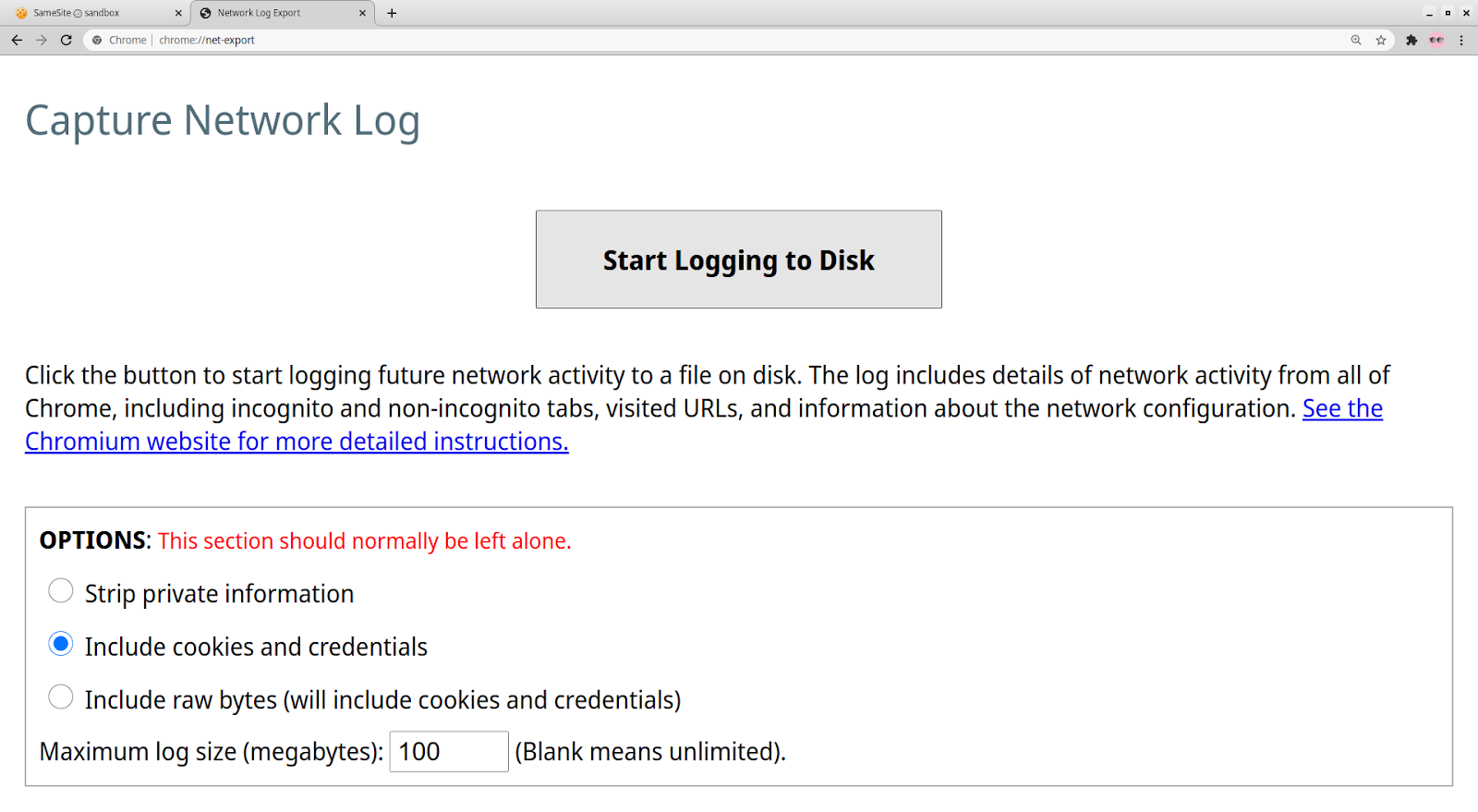
### Using a NetLog Dump
Capture a NetLog dump (a record of all network activity) by following [these
instructions](/for-testers/providing-network-details). Make sure to select
“Include cookies and credentials” when you capture the log. (Since such a log
may contain sensitive information, such as cookies with login information, use
your judgement when sharing it with others.) Use the [NetLog
viewer](https://netlog-viewer.appspot.com/#import) to open the captured log.
](/updates/schemeful-same-site/testing-and-debugging-tips-for-schemeful-same-site/tsyEts8ZOXE.png)
### Using Chrome Histograms
Chrome records metrics ("histograms") about internal activity as you browse the
web. These can help diagnose cookie problems.
Go to chrome://histograms and look for the following entries:
To debug your own site, you can hit "Refresh" at the top of the page to clear
the previous histogram entries, then check the histogram entries again after
reproducing the problem.
* Cookie.SameSiteContextDowngradeRequest: This histograms logs cookies
which would be sent in a request when Schemeful Same-Site is
disabled, but would be blocked when Schemeful Same-Site is enabled.
The "0" and "1" buckets indicate unaffected cookies and can be
safely ignored. All other buckets indicate some type of blockage
with each bucket being caused by a specific type of situation. These
specific buckets may be too technical to be of use to you, but if
you're interested you can see the histograms.xml and enums.xml for
more info.
* Cookie.SameSiteContextDowngradeResponse: This histogram is the same
as the above but for cookies which blocked from being set.
For the full descriptions of every histogram, see
[histograms.xml](https://source.chromium.org/chromium/chromium/src/+/HEAD:tools/metrics/histograms/histograms_xml/cookie/histograms.xml)
and
[enums.xml](https://source.chromium.org/chromium/chromium/src/+/HEAD:tools/metrics/histograms/enums.xml?originalUrl=https:%2F%2Fcs.chromium.org%2F)
(very large files!) in the Chromium source tree.
### Using a NetLog Dump
Capture a NetLog dump (a record of all network activity) by following [these
instructions](/for-testers/providing-network-details). Make sure to select
“Include cookies and credentials” when you capture the log. (Since such a log
may contain sensitive information, such as cookies with login information, use
your judgement when sharing it with others.) Use the [NetLog
viewer](https://netlog-viewer.appspot.com/#import) to open the captured log.
 Click on Events in the sidebar and enter “type:url_request” in the search bar to
view all the HTTP(S) requests captured in the log. You can additionally filter
by requests with cookies blocked due to Schemeful Same-Site by adding
“exclude_samesite” to the search bar.
If you click on each request, you should look for any cookies with any of the
following:
* WARN_STRICT_LAX_DOWNGRADE_STRICT_SAMESITE
* WARN_STRICT_CROSS_DOWNGRADE_STRICT_SAMESITE
* WARN_STRICT_CROSS_DOWNGRADE_LAX_SAMESITE
* WARN_LAX_CROSS_DOWNGRADE_STRICT_SAMESITE
* WARN_LAX_CROSS_DOWNGRADE_LAX_SAMESITE
Both request and response cookies are shown here. If you suspect that your
server’s Set-Cookie response header is incorrect, you can search for
“type:cookie_store” and look for a COOKIE_STORE_COOKIE_ADDED entry, which will
list the properties of the cookie, as interpreted by Chrome.
The NetLog only covers cookies accessed over the network via HTTP(S) and does
not include other methods of cookie access such as document.cookie (JavaScript)
or chrome.cookies (extensions). For far more information about debugging using
NetLogs, refer to [this
document](https://chromium.googlesource.com/chromium/src/+/HEAD/net/docs/crash-course-in-net-internals.md).
## What do I do now?
Once you've identified the problem cookie(s) you can follow the directions under
"How to Resolve" on [this
page](/updates/schemeful-same-site/schemeful-same-site-devtools-issues).
Still have issues? File a bug [here](https://bugs.chromium.org/p/chromium).
Click on Events in the sidebar and enter “type:url_request” in the search bar to
view all the HTTP(S) requests captured in the log. You can additionally filter
by requests with cookies blocked due to Schemeful Same-Site by adding
“exclude_samesite” to the search bar.
If you click on each request, you should look for any cookies with any of the
following:
* WARN_STRICT_LAX_DOWNGRADE_STRICT_SAMESITE
* WARN_STRICT_CROSS_DOWNGRADE_STRICT_SAMESITE
* WARN_STRICT_CROSS_DOWNGRADE_LAX_SAMESITE
* WARN_LAX_CROSS_DOWNGRADE_STRICT_SAMESITE
* WARN_LAX_CROSS_DOWNGRADE_LAX_SAMESITE
Both request and response cookies are shown here. If you suspect that your
server’s Set-Cookie response header is incorrect, you can search for
“type:cookie_store” and look for a COOKIE_STORE_COOKIE_ADDED entry, which will
list the properties of the cookie, as interpreted by Chrome.
The NetLog only covers cookies accessed over the network via HTTP(S) and does
not include other methods of cookie access such as document.cookie (JavaScript)
or chrome.cookies (extensions). For far more information about debugging using
NetLogs, refer to [this
document](https://chromium.googlesource.com/chromium/src/+/HEAD/net/docs/crash-course-in-net-internals.md).
## What do I do now?
Once you've identified the problem cookie(s) you can follow the directions under
"How to Resolve" on [this
page](/updates/schemeful-same-site/schemeful-same-site-devtools-issues).
Still have issues? File a bug [here](https://bugs.chromium.org/p/chromium).