---
breadcrumbs:
- - /Home
- Chromium
- - /Home/chromium-security
- Chromium Security
page_name: marking-http-as-non-secure
title: Marking HTTP As Non-Secure
---
This page contains the original proposal for marking HTTP as non-secure (see
Original Proposal below).
Since then, the [Chrome usable security team](/Home/chromium-security/enamel)
has announced the following phases towards this goal.
For more information see, the WebFundamentals article: [Avoiding the Not Secure
Warning in
Chrome](https://developers.google.com/web/updates/2016/10/avoid-not-secure-warn)
---
Timeline
**January 2017 (Phase 1)**
Takes effect: January 2017 (Chrome 56)
Announcement: [Moving towards a more secure
web](https://security.googleblog.com/2016/09/moving-towards-more-secure-web.html)
(September 8, 2016)
In this phase, HTTP pages will be marked with "Not Secure" in the URL bar under
the following conditions:
* The page **contains a password field**.
* The user **interacts with a credit card field**.
[ ](/Home/chromium-security/marking-http-as-non-secure/blog%20image%201.png)
**October 2017 (Phase 2)**
Takes effect: October 2017 (Chrome 62)
Announcement: [Next Steps Toward More Connection
Security](https://security.googleblog.com/2017/04/next-steps-toward-more-connection.html)
(April 27, 2017)
In this phase, HTTP pages will be marked with "Not Secure" in the URL bar under
the following conditions:
* The user is browsing in Chrome [**incognito
mode**](https://support.google.com/chromebook/answer/95464).
* The page **contains a password field**.
* The user **interacts with any input field**.
[
](/Home/chromium-security/marking-http-as-non-secure/blog%20image%201.png)
**October 2017 (Phase 2)**
Takes effect: October 2017 (Chrome 62)
Announcement: [Next Steps Toward More Connection
Security](https://security.googleblog.com/2017/04/next-steps-toward-more-connection.html)
(April 27, 2017)
In this phase, HTTP pages will be marked with "Not Secure" in the URL bar under
the following conditions:
* The user is browsing in Chrome [**incognito
mode**](https://support.google.com/chromebook/answer/95464).
* The page **contains a password field**.
* The user **interacts with any input field**.
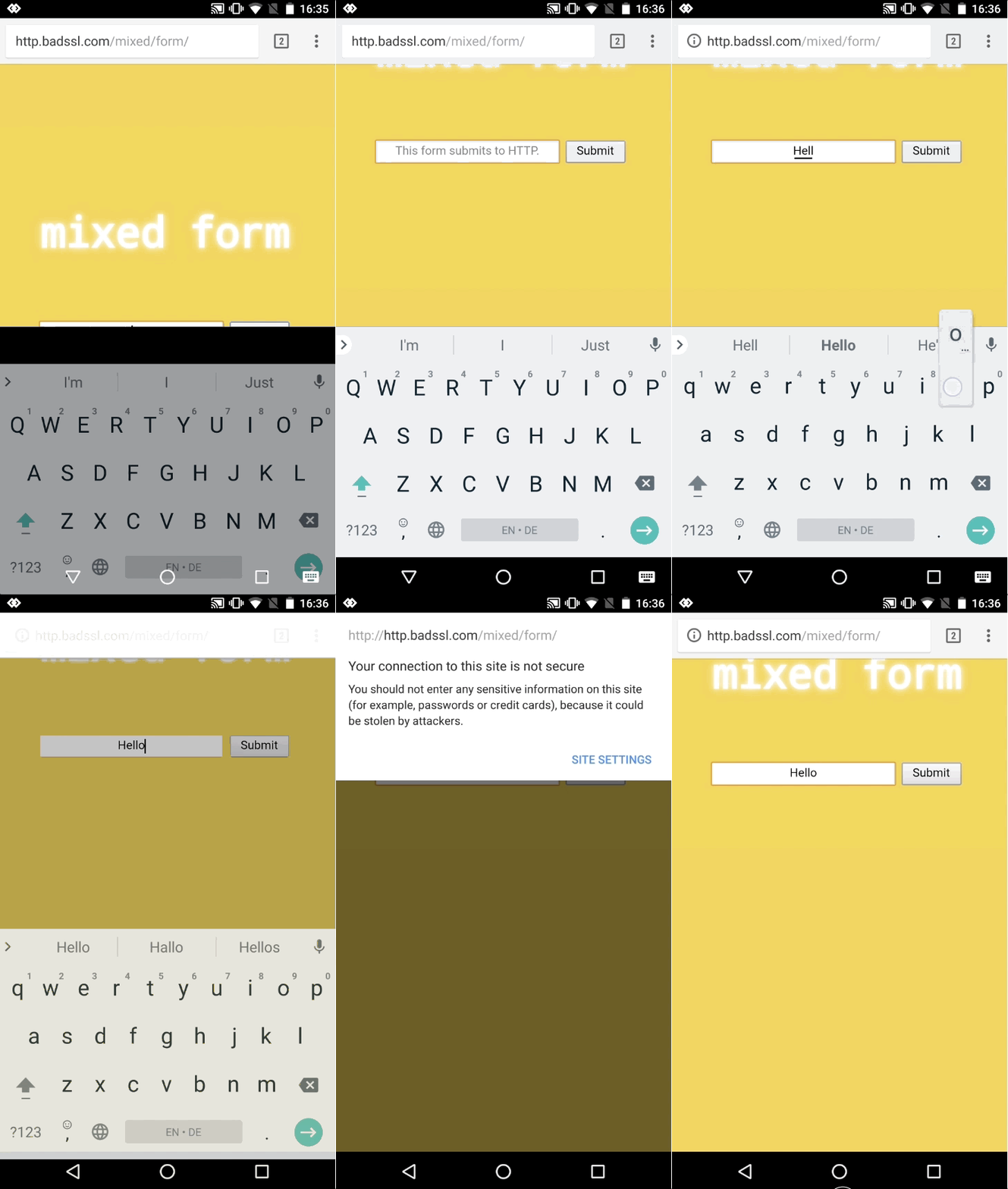
[ ](/Home/chromium-security/marking-http-as-non-secure/form-and-incognito-http-bad-verbose.png)
On mobile, there is no room for the string, so only the icon animates out for
user entered data:
](/Home/chromium-security/marking-http-as-non-secure/form-and-incognito-http-bad-verbose.png)
On mobile, there is no room for the string, so only the icon animates out for
user entered data:
 **July 2018 (Phase 3)**
Takes effect: July 2018 (Chrome 68)
Announcement: [A secure web is here to
stay](https://security.googleblog.com/2018/02/a-secure-web-is-here-to-stay.html)
(February 8, 2018)
In this phase, all HTTP pages will be marked with "Not Secure":
[
**July 2018 (Phase 3)**
Takes effect: July 2018 (Chrome 68)
Announcement: [A secure web is here to
stay](https://security.googleblog.com/2018/02/a-secure-web-is-here-to-stay.html)
(February 8, 2018)
In this phase, all HTTP pages will be marked with "Not Secure":
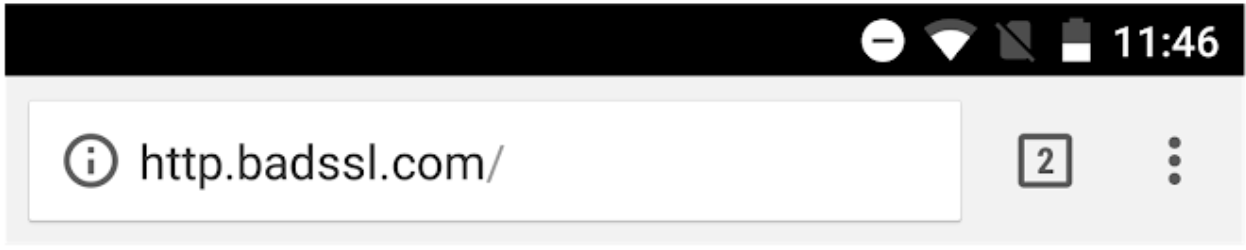
[ ](/Home/chromium-security/marking-http-as-non-secure/phase-3-wide.png)
On mobile, there is no room for the string. The (i) icon will show on all HTTP
pages:
](/Home/chromium-security/marking-http-as-non-secure/phase-3-wide.png)
On mobile, there is no room for the string. The (i) icon will show on all HTTP
pages:
 **September 2018**
Takes effect: September 2018 (Chrome 69)
Announcement: [Evolving Chrome's security
indicators](https://blog.chromium.org/2018/05/evolving-chromes-security-indicators.html)
(May 17, 2018)
In this phase, secure pages will be marked more neutral instead of affirmatively
secure:
[
**September 2018**
Takes effect: September 2018 (Chrome 69)
Announcement: [Evolving Chrome's security
indicators](https://blog.chromium.org/2018/05/evolving-chromes-security-indicators.html)
(May 17, 2018)
In this phase, secure pages will be marked more neutral instead of affirmatively
secure:
[ ](/Home/chromium-security/marking-http-as-non-secure/http-bad-sep-2018.png)
**October 2018**
Takes effect: October 2018 (Chrome 70)
Announcement: [Evolving Chrome's security
indicators](https://blog.chromium.org/2018/05/evolving-chromes-security-indicators.html)
(May 17, 2018)
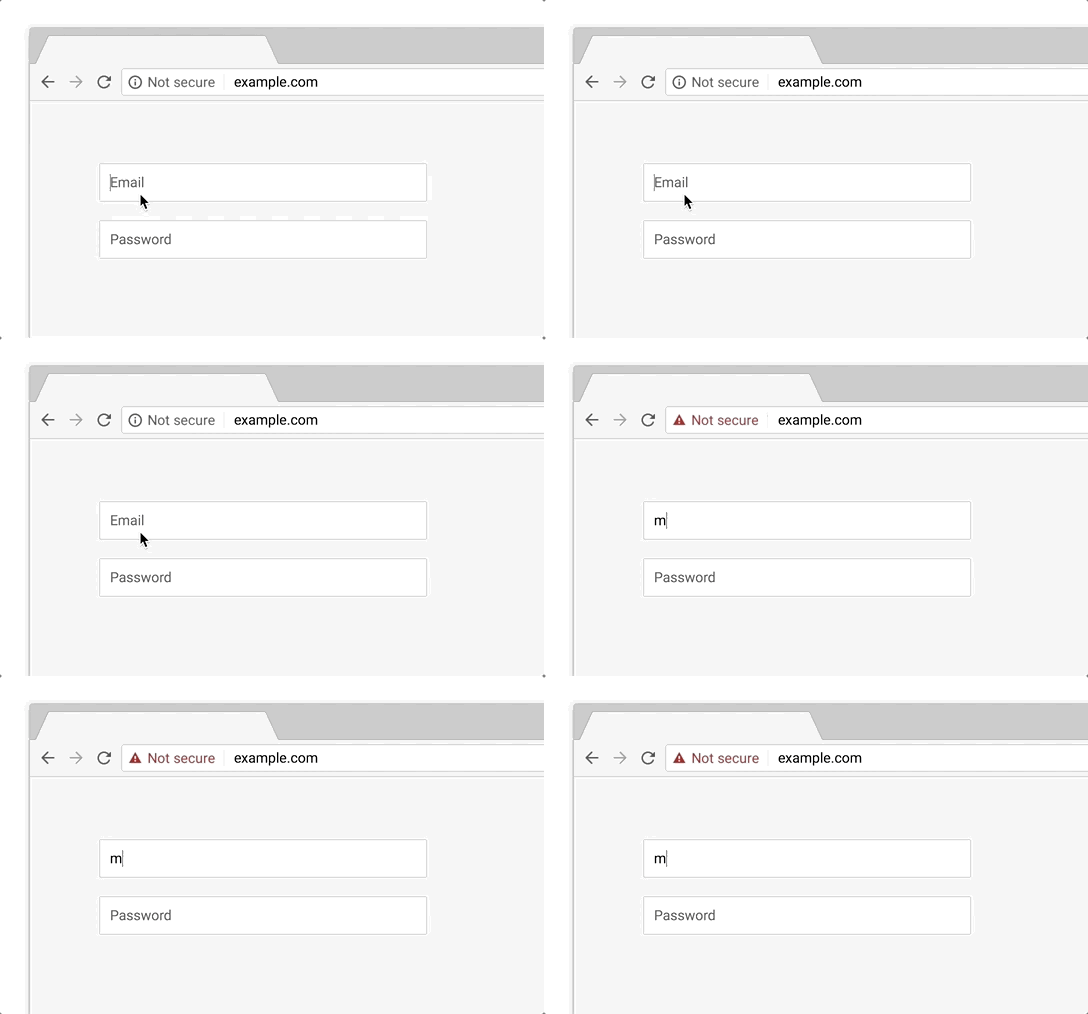
In this phase, HTTP pages will be marked as affirmatively "Not Secure" using red
color and the non-secure icon in the URL bar if the user **interacts with any
input field**.
[
](/Home/chromium-security/marking-http-as-non-secure/http-bad-sep-2018.png)
**October 2018**
Takes effect: October 2018 (Chrome 70)
Announcement: [Evolving Chrome's security
indicators](https://blog.chromium.org/2018/05/evolving-chromes-security-indicators.html)
(May 17, 2018)
In this phase, HTTP pages will be marked as affirmatively "Not Secure" using red
color and the non-secure icon in the URL bar if the user **interacts with any
input field**.
[ ](https://3.bp.blogspot.com/-MkJEkHnXcXc/Wv181DQednI/AAAAAAAAA6E/95MwjxqK7awaCgr_Z6xRNWVi0Ztf0-ncACLcBGAs/s1600/Treatment%2Bof%2BHTTP%2BPages%2Bwith%2BUser%2BInput.gif)
**Eventual**
There is no target date for the final state yet, but we intend to mark all HTTP
pages as affirmatively non-secure in the long term (the same as other non-secure
pages, like pages with broken HTTPS):
**[
](https://3.bp.blogspot.com/-MkJEkHnXcXc/Wv181DQednI/AAAAAAAAA6E/95MwjxqK7awaCgr_Z6xRNWVi0Ztf0-ncACLcBGAs/s1600/Treatment%2Bof%2BHTTP%2BPages%2Bwith%2BUser%2BInput.gif)
**Eventual**
There is no target date for the final state yet, but we intend to mark all HTTP
pages as affirmatively non-secure in the long term (the same as other non-secure
pages, like pages with broken HTTPS):
**[ ](/Home/chromium-security/marking-http-as-non-secure/blog%20image%202.png)**
On mobile:
](/Home/chromium-security/marking-http-as-non-secure/blog%20image%202.png)**
On mobile:
 ---
Original Proposal
Proposal
We, the Chrome Security Team, propose that user agents (UAs) gradually change
their UX to display non-secure origins as affirmatively non-secure.
The goal of this proposal is to more clearly display to users that HTTP provides
no data security.
Request
We’d like to hear everyone’s thoughts on this proposal, and to discuss with the
web community about how different transition plans might serve users.
Background
We all need data communication on the web to be secure (private, authenticated,
untampered). When there is no data security, the UA should explicitly display
that, so users can make informed decisions about how to interact with an origin.
Roughly speaking, there are three basic transport layer security states for web
origins:
Secure (valid HTTPS, other origins like (\*, localhost, \*));
Dubious (valid HTTPS but with mixed passive resources, valid HTTPS with
minor TLS errors); and
Non-secure (broken HTTPS, HTTP).
For more precise definitions of secure and non-secure, see [Requirements for
Powerful Features](https://www.w3.org/TR/powerful-features/) and [Mixed
Content](https://www.w3.org/TR/mixed-content/).
We know that active tampering and surveillance attacks, as well as passive
surveillance attacks, are not theoretical but are in fact commonplace on the
web.
[RFC 7258: Pervasive Monitoring Is an
Attack](https://tools.ietf.org/html/rfc7258)
[NSA uses Google cookies to pinpoint targets for
hacking](http://www.washingtonpost.com/blogs/the-switch/wp/2013/12/10/nsa-uses-google-cookies-to-pinpoint-targets-for-hacking/)
[Verizon’s ‘Perma-Cookie’ Is a Privacy-Killing
Machine](http://www.wired.com/2014/10/verizons-perma-cookie/)
[How bad is it to replace adSense code id to ISP's adSense ID on free
Internet?](http://stackoverflow.com/questions/25438910/how-bad-is-it-to-replace-adsense-code-id-to-isps-adsense-id-on-free-internet)
[Comcast Wi-Fi serving self-promotional ads via JavaScript
injection](http://arstechnica.com/tech-policy/2014/09/why-comcasts-javascript-ad-injections-threaten-security-net-neutrality/)
[Erosion of the moral authority of transparent
middleboxes](https://tools.ietf.org/html/draft-hildebrand-middlebox-erosion-01)
[Transitioning The Web To HTTPS](https://w3ctag.github.io/web-https/)
We know that people do not generally perceive the absence of a warning sign.
(See e.g. [The Emperor's New Security
Indicators](http://commerce.net/wp-content/uploads/2012/04/The%20Emperors_New_Security_Indicators.pdf).)
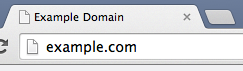
Yet the only situation in which web browsers are guaranteed not to warn users is
precisely when there is no chance of security: when the origin is transported
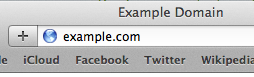
via HTTP. Here are screenshots of the status quo for non-secure domains in
Chrome, Safari, Firefox, and Internet Explorer:
---
Original Proposal
Proposal
We, the Chrome Security Team, propose that user agents (UAs) gradually change
their UX to display non-secure origins as affirmatively non-secure.
The goal of this proposal is to more clearly display to users that HTTP provides
no data security.
Request
We’d like to hear everyone’s thoughts on this proposal, and to discuss with the
web community about how different transition plans might serve users.
Background
We all need data communication on the web to be secure (private, authenticated,
untampered). When there is no data security, the UA should explicitly display
that, so users can make informed decisions about how to interact with an origin.
Roughly speaking, there are three basic transport layer security states for web
origins:
Secure (valid HTTPS, other origins like (\*, localhost, \*));
Dubious (valid HTTPS but with mixed passive resources, valid HTTPS with
minor TLS errors); and
Non-secure (broken HTTPS, HTTP).
For more precise definitions of secure and non-secure, see [Requirements for
Powerful Features](https://www.w3.org/TR/powerful-features/) and [Mixed
Content](https://www.w3.org/TR/mixed-content/).
We know that active tampering and surveillance attacks, as well as passive
surveillance attacks, are not theoretical but are in fact commonplace on the
web.
[RFC 7258: Pervasive Monitoring Is an
Attack](https://tools.ietf.org/html/rfc7258)
[NSA uses Google cookies to pinpoint targets for
hacking](http://www.washingtonpost.com/blogs/the-switch/wp/2013/12/10/nsa-uses-google-cookies-to-pinpoint-targets-for-hacking/)
[Verizon’s ‘Perma-Cookie’ Is a Privacy-Killing
Machine](http://www.wired.com/2014/10/verizons-perma-cookie/)
[How bad is it to replace adSense code id to ISP's adSense ID on free
Internet?](http://stackoverflow.com/questions/25438910/how-bad-is-it-to-replace-adsense-code-id-to-isps-adsense-id-on-free-internet)
[Comcast Wi-Fi serving self-promotional ads via JavaScript
injection](http://arstechnica.com/tech-policy/2014/09/why-comcasts-javascript-ad-injections-threaten-security-net-neutrality/)
[Erosion of the moral authority of transparent
middleboxes](https://tools.ietf.org/html/draft-hildebrand-middlebox-erosion-01)
[Transitioning The Web To HTTPS](https://w3ctag.github.io/web-https/)
We know that people do not generally perceive the absence of a warning sign.
(See e.g. [The Emperor's New Security
Indicators](http://commerce.net/wp-content/uploads/2012/04/The%20Emperors_New_Security_Indicators.pdf).)
Yet the only situation in which web browsers are guaranteed not to warn users is
precisely when there is no chance of security: when the origin is transported
via HTTP. Here are screenshots of the status quo for non-secure domains in
Chrome, Safari, Firefox, and Internet Explorer:

 Particulars
UA vendors who agree with this proposal should decide how best to phase in the
UX changes given the needs of their users and their product design constraints.
Generally, we suggest a phased approach to marking non-secure origins as
non-secure. For example, a UA vendor might decide that in the medium term, they
will represent non-secure origins in the same way that they represent Dubious
origins. Then, in the long term, the vendor might decide to represent non-secure
origins in the same way that they represent Bad origins.
Ultimately, we can even imagine a long term in which secure origins are so
widely deployed that we can leave them unmarked (as HTTP is today), and mark
only the rare non-secure origins.
There are several ways vendors might decide to transition from one phase to the
next. For example, the transition plan could be time-based:
T0 (now): Non-secure origins unmarked
T1: Non-secure origins marked as Dubious
T2: Non-secure origins marked as Non-secure
T3: Secure origins unmarked
Or, vendors might set thresholds based on telemetry that measures the ratios of
user interaction with secure origins vs. non-secure. Consider this strawman
proposal:
Secure > 65%: Non-secure origins marked as Dubious
Secure > 75%: Non-secure origins marked as Non-secure
Secure > 85%: Secure origins unmarked
The particular thresholds or transition dates are very much up for discussion.
Additionally, how to define “ratios of user interaction” is also up for
discussion; ideas include the ratio of secure to non-secure page loads, the
ratio of secure to non-secure resource loads, or the ratio of total time spent
interacting with secure vs. non-secure origins.
We’d love to hear what UA vendors, web developers, and users think. Thanks for
reading! We are discussing the proposal on web standards mailing lists:
* [public-webappsec@w3.org](http://lists.w3.org/Archives/Public/public-webappsec/)
* [blink-dev@chromium.org](https://groups.google.com/a/chromium.org/forum/#!forum/blink-dev)
* [security-dev@chromium.org](https://groups.google.com/a/chromium.org/forum/#!forum/security-dev)
* [dev-security@lists.mozilla.org](https://groups.google.com/forum/#!forum/mozilla.dev.security)
**FAQ**
We have fielded various reasonable concerns about this proposal, but most of
them have a good answer. Here is a brief selection.
(Please consider any external links to be examples, not endorsements.)
* **Will this break plain HTTP sites?**
* No. HTTP sites will continue to work; we currently have no plans
to block them in Chrome. All that will change is the *security
indicator(s)*.
* **Aren't certificates expensive/difficult to obtain?**
* A few providers currently provide free/cheap/bundled
certificates right now. The [Let's
Encrypt](https://letsencrypt.org/) project makes it easy to
obtain free certificates (even for many subdomains at once, or
with wildcards).
* **Aren't certificates difficult to set up?**
* Let's Encrypt has developed a [simple, open-source
protocol](https://letsencrypt.org/howitworks/) for setting up
server certificates. [SSLMate](https://sslmate.com/) currently
provides a similar service for a fee. Services like
[Cloudflare](http://blog.cloudflare.com/introducing-universal-ssl/)
currently provide free SSL/TLS for sites hosted through them,
and hosting providers may start automating this for all users
once free certificates become common.
* For people who are happy without a custom domain, there are
various hosting options that support HTTPS with a free tier,
e.g. [GitHub Pages](https://pages.github.com/), blogging
services, [Google Sites](https://sites.google.com/), and [Google
App Engine](https://cloud.google.com/appengine/). As of 2018,
many hosting providers even support turning on HTTPS using a
single checkbox.
* **Isn't SSL/TLS slow?**
* [Not really](https://istlsfastyet.com/) (for almost all sites,
if they are following good practices).
* **Doesn't this break caching? Filtering?**
* If you're a site operator concerned about site load, there are
various secure CDN options available, starting as cheap as
[Cloudflare's free
tier](http://blog.cloudflare.com/introducing-universal-ssl/).
* For environments that need tight control of internet access,
there are several client-side/network solutions. For other
environments, we consider this kind of tampering a violation of
SSL/TLS security guarantees.
* **What about test servers/self-signed certificates?**
* Hopefully, free/simple certificate setup will be able to help
people who had previously considered it inconvenient. Also note
that [localhost is considered
secure](/Home/chromium-security/prefer-secure-origins-for-powerful-new-features),
even without HTTPS.
* As mentioned above, plain HTTP will continue to work.
Also see [Mozilla's
FAQ](https://blog.mozilla.org/security/files/2015/05/HTTPS-FAQ.pdf) on this
topic for longer answers.
Particulars
UA vendors who agree with this proposal should decide how best to phase in the
UX changes given the needs of their users and their product design constraints.
Generally, we suggest a phased approach to marking non-secure origins as
non-secure. For example, a UA vendor might decide that in the medium term, they
will represent non-secure origins in the same way that they represent Dubious
origins. Then, in the long term, the vendor might decide to represent non-secure
origins in the same way that they represent Bad origins.
Ultimately, we can even imagine a long term in which secure origins are so
widely deployed that we can leave them unmarked (as HTTP is today), and mark
only the rare non-secure origins.
There are several ways vendors might decide to transition from one phase to the
next. For example, the transition plan could be time-based:
T0 (now): Non-secure origins unmarked
T1: Non-secure origins marked as Dubious
T2: Non-secure origins marked as Non-secure
T3: Secure origins unmarked
Or, vendors might set thresholds based on telemetry that measures the ratios of
user interaction with secure origins vs. non-secure. Consider this strawman
proposal:
Secure > 65%: Non-secure origins marked as Dubious
Secure > 75%: Non-secure origins marked as Non-secure
Secure > 85%: Secure origins unmarked
The particular thresholds or transition dates are very much up for discussion.
Additionally, how to define “ratios of user interaction” is also up for
discussion; ideas include the ratio of secure to non-secure page loads, the
ratio of secure to non-secure resource loads, or the ratio of total time spent
interacting with secure vs. non-secure origins.
We’d love to hear what UA vendors, web developers, and users think. Thanks for
reading! We are discussing the proposal on web standards mailing lists:
* [public-webappsec@w3.org](http://lists.w3.org/Archives/Public/public-webappsec/)
* [blink-dev@chromium.org](https://groups.google.com/a/chromium.org/forum/#!forum/blink-dev)
* [security-dev@chromium.org](https://groups.google.com/a/chromium.org/forum/#!forum/security-dev)
* [dev-security@lists.mozilla.org](https://groups.google.com/forum/#!forum/mozilla.dev.security)
**FAQ**
We have fielded various reasonable concerns about this proposal, but most of
them have a good answer. Here is a brief selection.
(Please consider any external links to be examples, not endorsements.)
* **Will this break plain HTTP sites?**
* No. HTTP sites will continue to work; we currently have no plans
to block them in Chrome. All that will change is the *security
indicator(s)*.
* **Aren't certificates expensive/difficult to obtain?**
* A few providers currently provide free/cheap/bundled
certificates right now. The [Let's
Encrypt](https://letsencrypt.org/) project makes it easy to
obtain free certificates (even for many subdomains at once, or
with wildcards).
* **Aren't certificates difficult to set up?**
* Let's Encrypt has developed a [simple, open-source
protocol](https://letsencrypt.org/howitworks/) for setting up
server certificates. [SSLMate](https://sslmate.com/) currently
provides a similar service for a fee. Services like
[Cloudflare](http://blog.cloudflare.com/introducing-universal-ssl/)
currently provide free SSL/TLS for sites hosted through them,
and hosting providers may start automating this for all users
once free certificates become common.
* For people who are happy without a custom domain, there are
various hosting options that support HTTPS with a free tier,
e.g. [GitHub Pages](https://pages.github.com/), blogging
services, [Google Sites](https://sites.google.com/), and [Google
App Engine](https://cloud.google.com/appengine/). As of 2018,
many hosting providers even support turning on HTTPS using a
single checkbox.
* **Isn't SSL/TLS slow?**
* [Not really](https://istlsfastyet.com/) (for almost all sites,
if they are following good practices).
* **Doesn't this break caching? Filtering?**
* If you're a site operator concerned about site load, there are
various secure CDN options available, starting as cheap as
[Cloudflare's free
tier](http://blog.cloudflare.com/introducing-universal-ssl/).
* For environments that need tight control of internet access,
there are several client-side/network solutions. For other
environments, we consider this kind of tampering a violation of
SSL/TLS security guarantees.
* **What about test servers/self-signed certificates?**
* Hopefully, free/simple certificate setup will be able to help
people who had previously considered it inconvenient. Also note
that [localhost is considered
secure](/Home/chromium-security/prefer-secure-origins-for-powerful-new-features),
even without HTTPS.
* As mentioned above, plain HTTP will continue to work.
Also see [Mozilla's
FAQ](https://blog.mozilla.org/security/files/2015/05/HTTPS-FAQ.pdf) on this
topic for longer answers.